Focus on the game, not the timer
Officiating demands split-second decisions. Every second you spend switching screens is a second lost in awareness.
Built by umpires for every level of field hockey - from youth to competitive leagues.
Match control without distraction, on Apple Watch or iPhone.
HockeyUmpire is a professional field hockey umpire app designed for real matches. It helps field hockey referees and umpires track match time, goals, cards and penalty corners directly from Apple Watch or iPhone.

Focus on the game, not the timer.
Officiating demands split-second decisions. Every second you spend switching screens is a second lost in awareness.
HockeyUmpire keeps your match time, goals, cards, and segments structured so you can stay focused on play.
Engineered for field hockey umpires. Tested by an international team of umpires. This is match control built from real scenarios and honed by people who live it.
Control the match from iPhone or Apple Watch with a simple, reliable flow. You choose the device that fits the moment.
Free manages your match. Pro captures the full story with deeper detail, tracking, and sharing.
Developed by an active umpire, with practical control that stays simple under pressure and fully configurable when you need more.
Explore penalty corner timing, match timing, Apple Watch control and card timing in more detail.
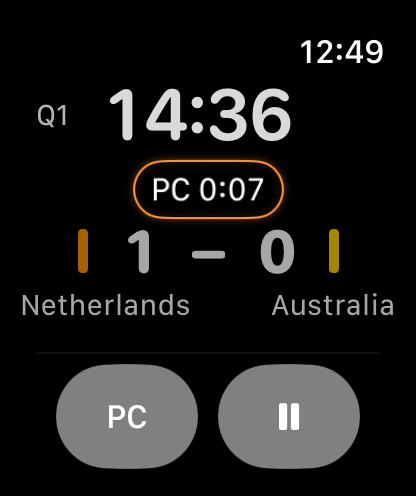
Run penalty corner timing from Apple Watch or iPhone without losing sight of the match.
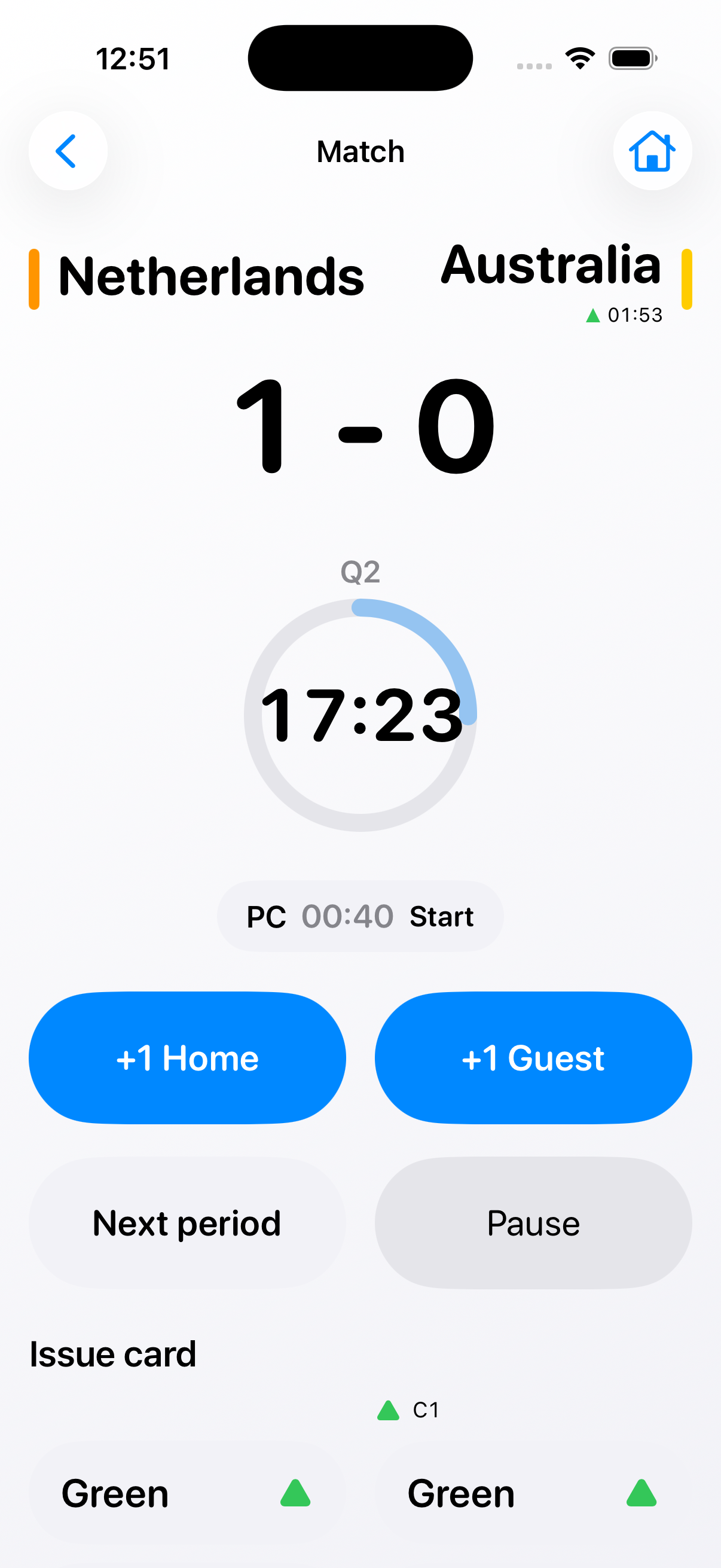
Manage match time, pauses and score in one reliable flow for real field hockey games.
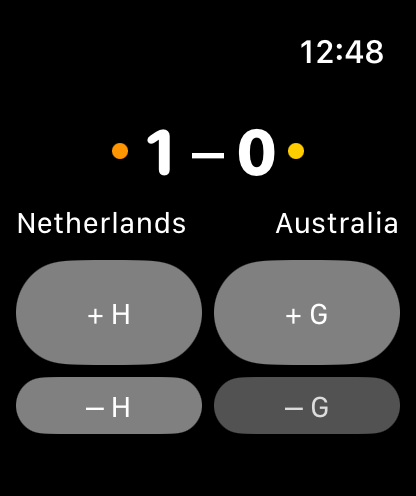
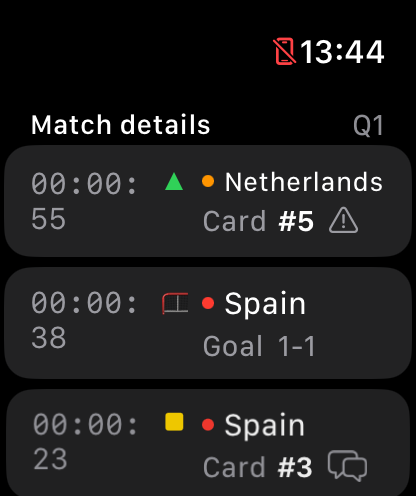
Control live field hockey matches from your wrist and keep iPhone ready for setup and reporting.
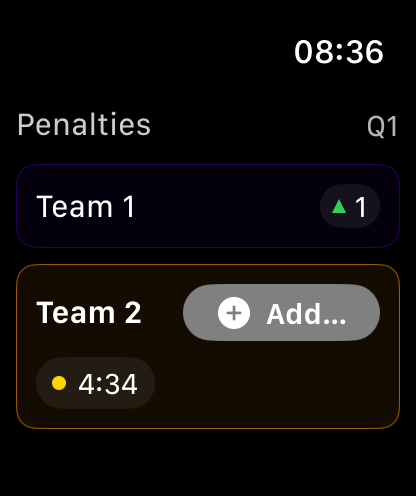
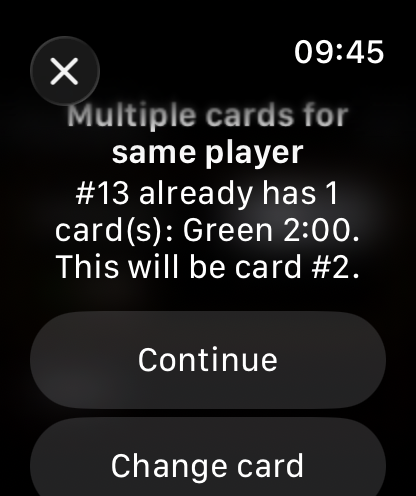
Track card timing, reminders and reporting without separate timers or paper notes.
Start from home, configure quickly, control the live match state, and review and share details after the game.
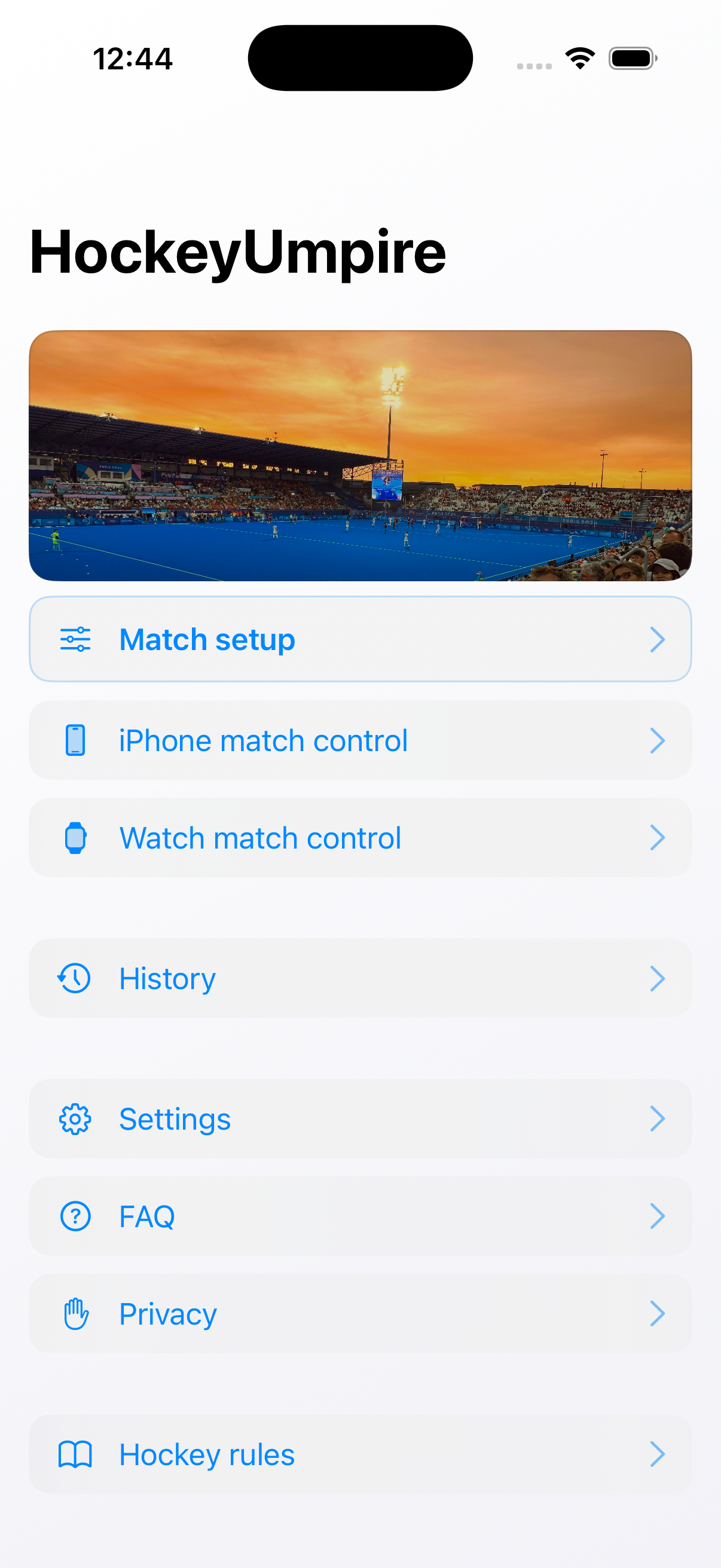
Home
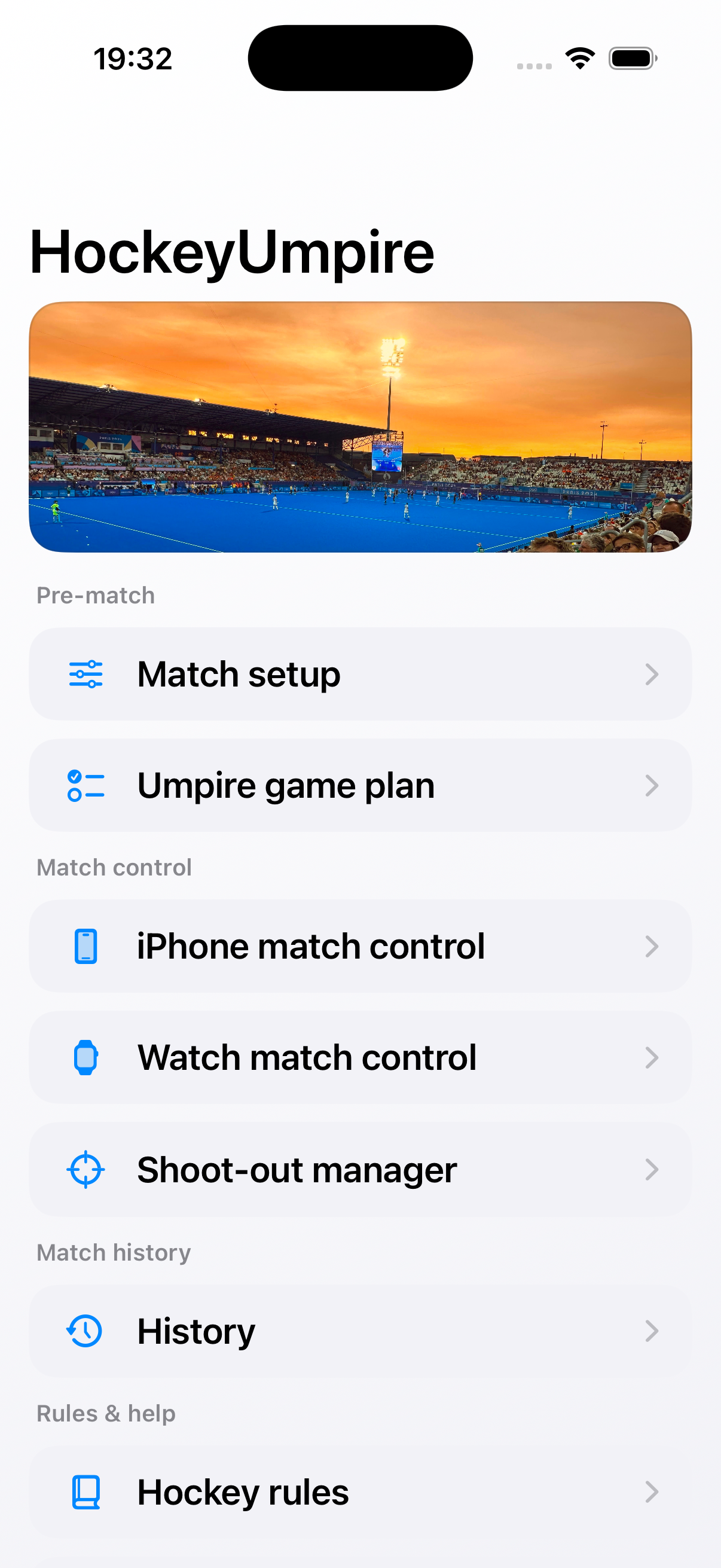
Jump straight into setup, match control, history, and rules.
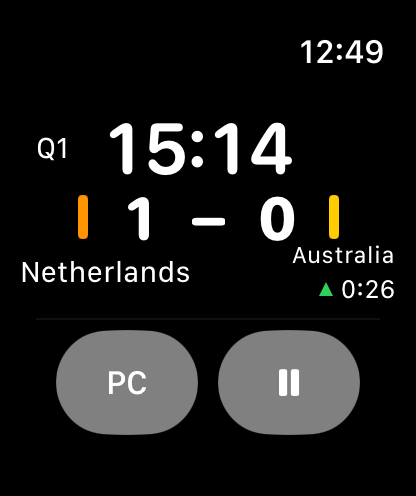
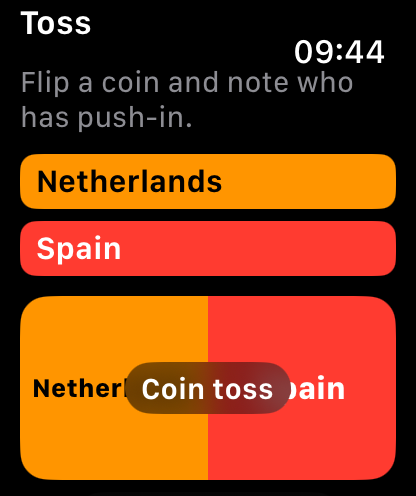
Watch shows you what you need to know at the moment you need to know it.
Real feedback from umpires using HockeyUmpire in live matches.
Add your first testimonial in website/testimonials.js.
Pro is not about more buttons. It is about deeper control and clarity.
One-time purchase.
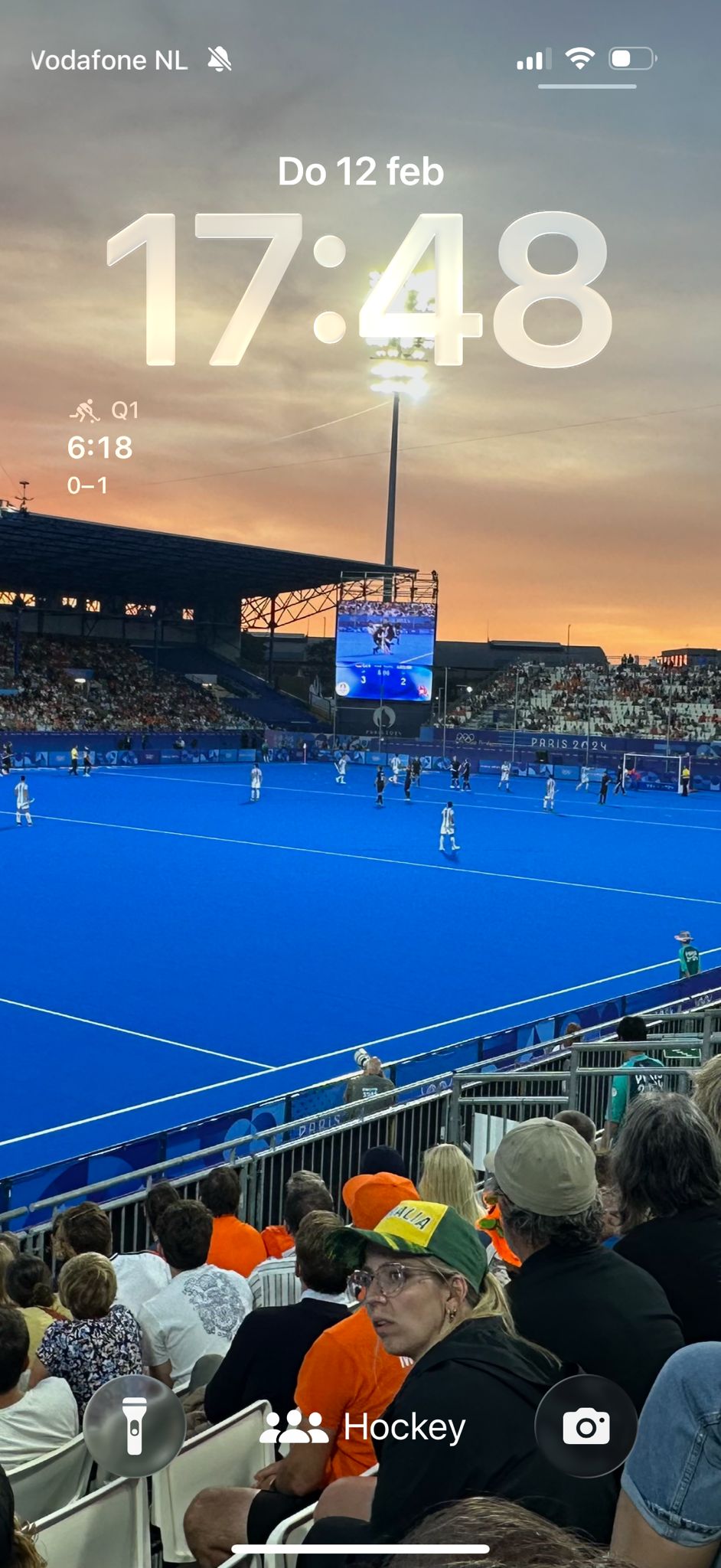
HockeyUmpire is a match control app for field hockey umpires. You can run a full match flow on iPhone or Apple Watch, or run a standalone Quick Shoot-out on iPhone.
You always need an iPhone for setup and history. Apple Watch is optional, but recommended for hands-free control during play.
Core match control is free. Some advanced features are available as optional Pro features.
Enable notifications, verify battery on iPhone and Watch, and optionally enable Apple Health logging in Settings. If Health logging is enabled, be ready for first-time permission prompts on Apple Watch.
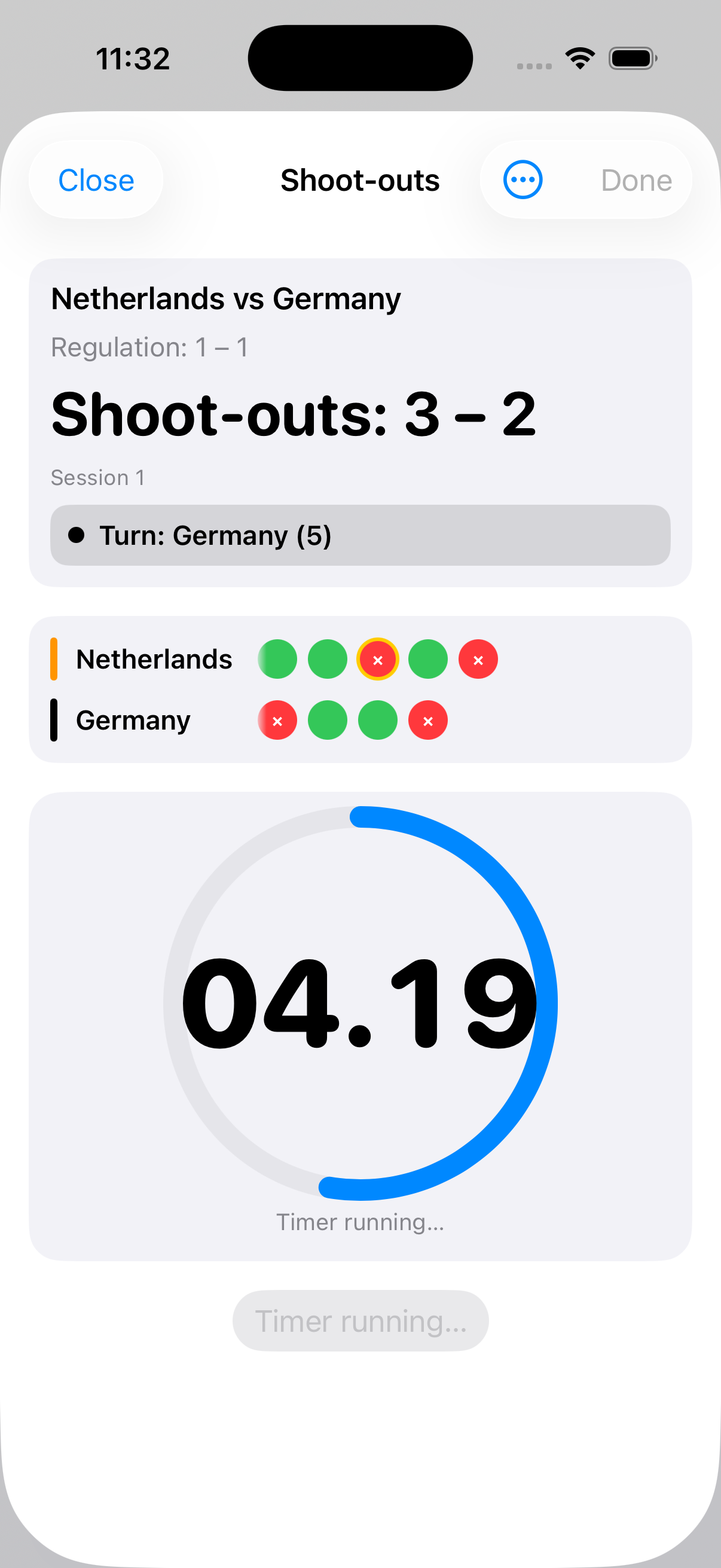
Quick Shoot-out is a standalone flow on iPhone. Open Home > Quick Shoot-out, set team names and colors, optionally adjust shoot-out settings, then start directly.
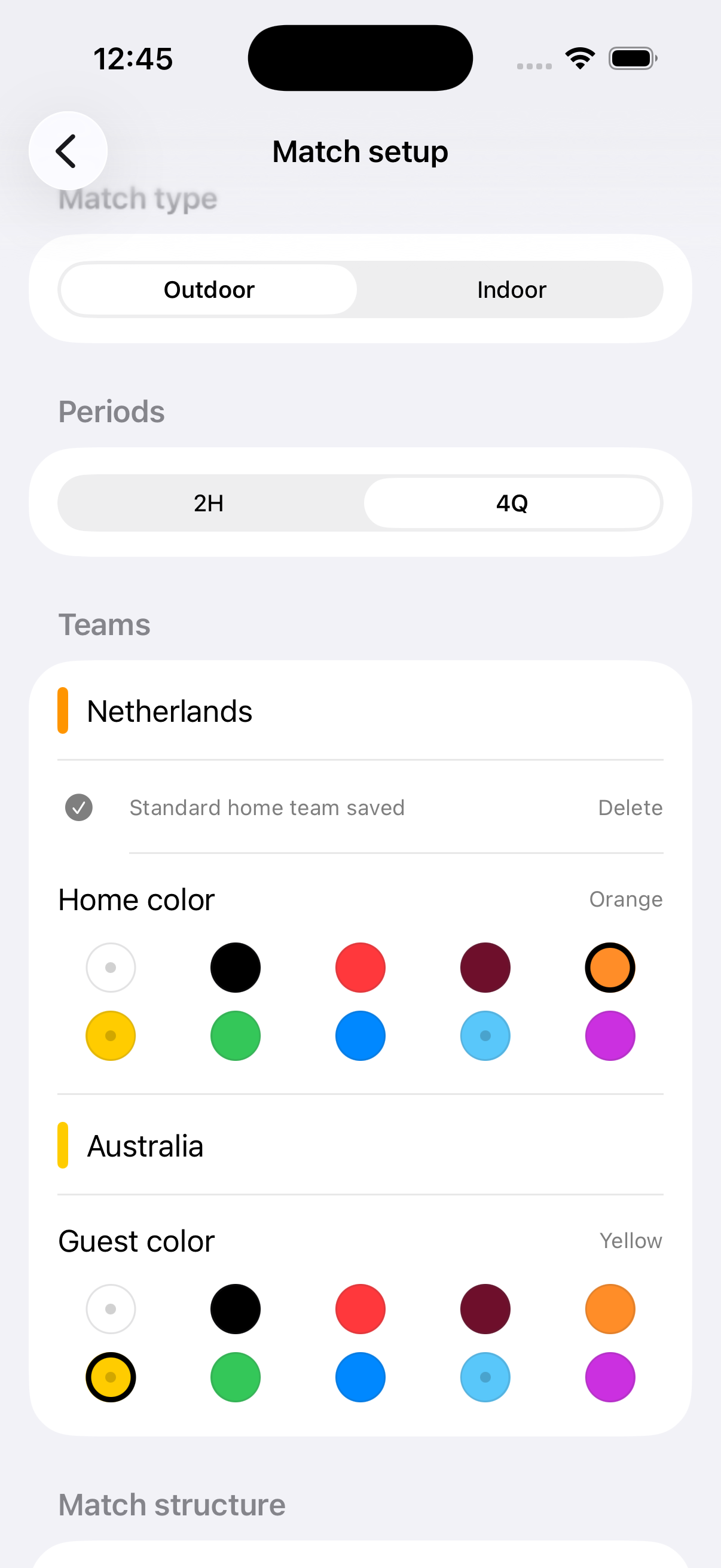
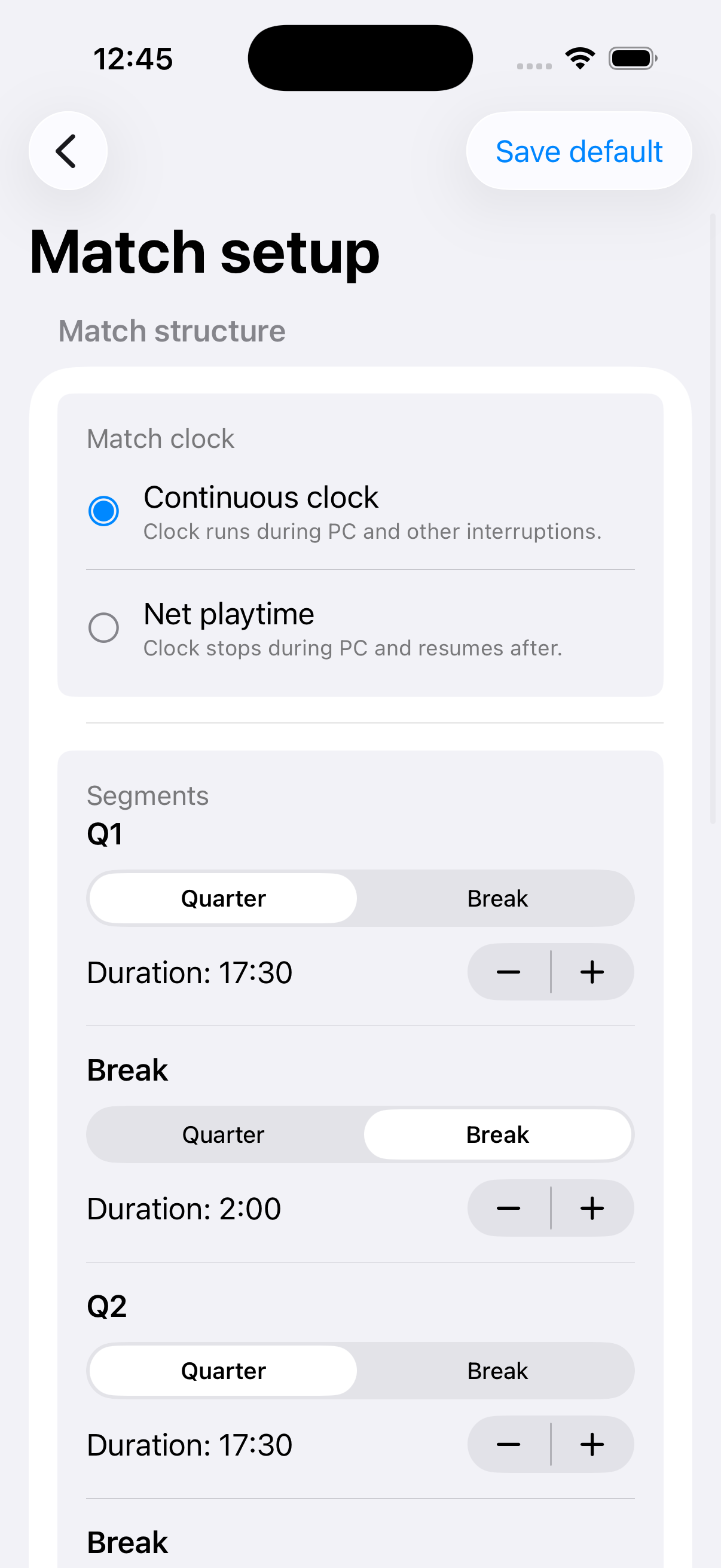
Open Match setup, choose Outdoor or Indoor, choose 2H or 4Q, set teams and colors, review segment/card/shoot-out settings, then start on iPhone or send to Watch.
Yes. You can edit segment types and durations, choose clock mode, and configure green and yellow card durations, including the default yellow duration.
Yes. You can save a standard setup and quickly start it on iPhone or send it to Watch. You can also update or delete it later.
Entering team names, colors, and match structure is faster on a larger screen.
Set up the match on iPhone, send it to Watch, open HockeyUmpire on Watch, and start from the match screen.
No. A match runs on one device (iPhone or Watch) at a time for reliability.
Start, pause and resume timing, move between segments, change score, run the penalty corner timer, issue cards, and complete end-of-match save flow.
Yes. On iPhone, long-press +1 goal to open correction actions. On Watch, use the dedicated minus-goal controls.
Yes, when the corresponding Pro features are enabled: goal type (Field, PC, PS) and optional player number.
You can issue green, yellow, and red cards per team. Yellow duration follows your setup options. Optional recipient labels and card reasons are available when enabled.
Yes. In Match History details, card reasons can be updated when card-reason editing is enabled.
Yes. You can use two paths: (1) regular match flow: enable shoot-outs in Match setup and start them from Final edit at 0:00 when level; (2) standalone flow: Home > Quick Shoot-out on iPhone.
Yes. You can use FIH profile or custom rules for sessions, starter logic, sudden-death behavior, and attempt duration.
Yes. When you complete a Quick Shoot-out and tap Done, it is saved in History with shoot-out details, even without running regulation time in the app.
Yes. Enable coin toss in Settings to run the toss flow on iPhone or Watch.
Yes. Match timing is designed to continue and recover reliably across app state changes.
You can start the penalty corner timer when the corner begins. The app tracks the allowed time window and provides haptic or alert feedback based on your settings.
Period alerts (2 min, 1 min, end), optional end sound, and a 10-second warning before card expiry.
Yes. You can enable the 10-second card expiry warning in Settings > iPhone Alerts.
HockeyUmpire warns when battery drops below a safe threshold to reduce the risk of a device shutting down during a match.
Yes. You can set haptic thresholds for penalty corners, card endings, and period-end events.
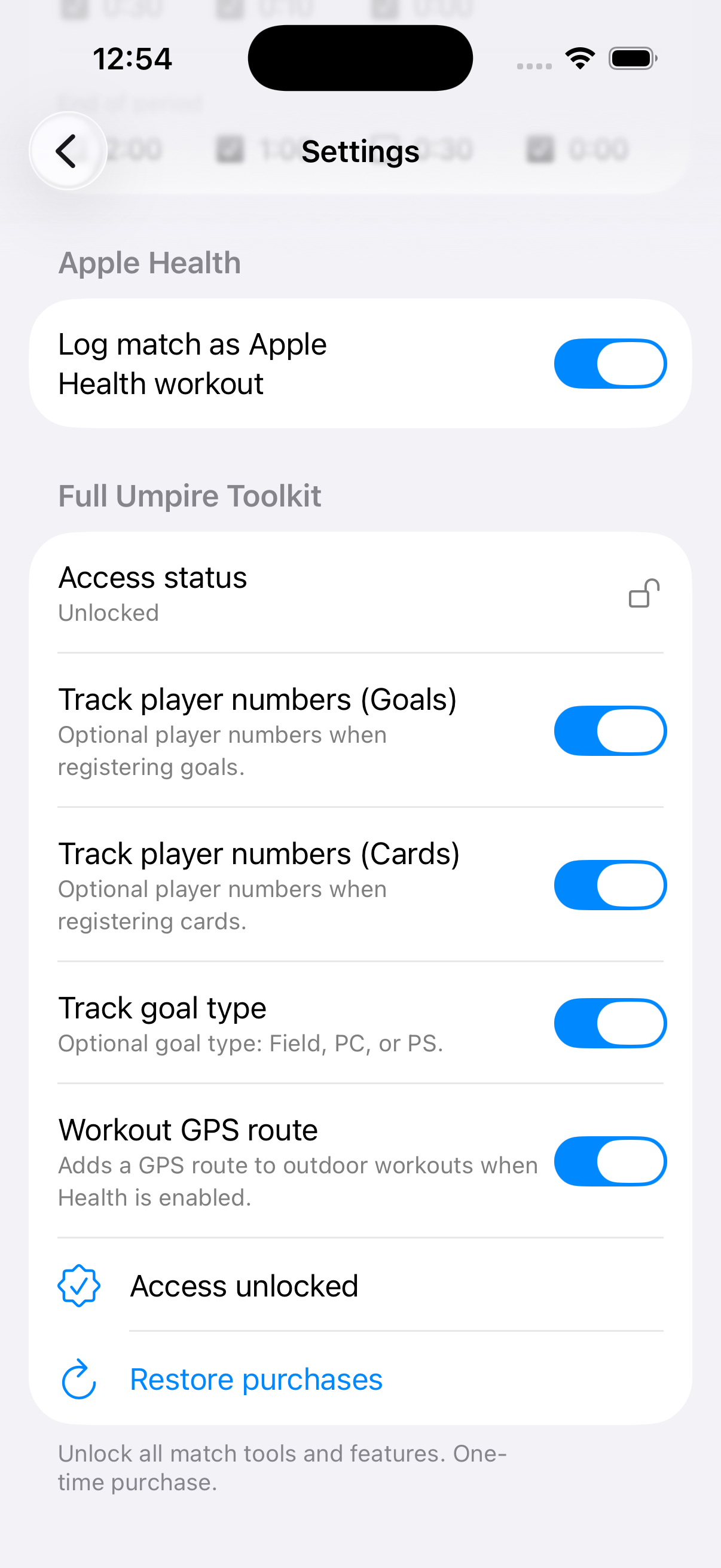
Yes, optionally. You can log matches as workouts. Outdoor GPS route logging is available when the related Pro feature is enabled.
No. It is optional and can be turned on or off in Settings at any time.
This is expected when Health logging is enabled. On first use, watchOS asks for workout and health permissions. Complete these prompts before starting match timing.
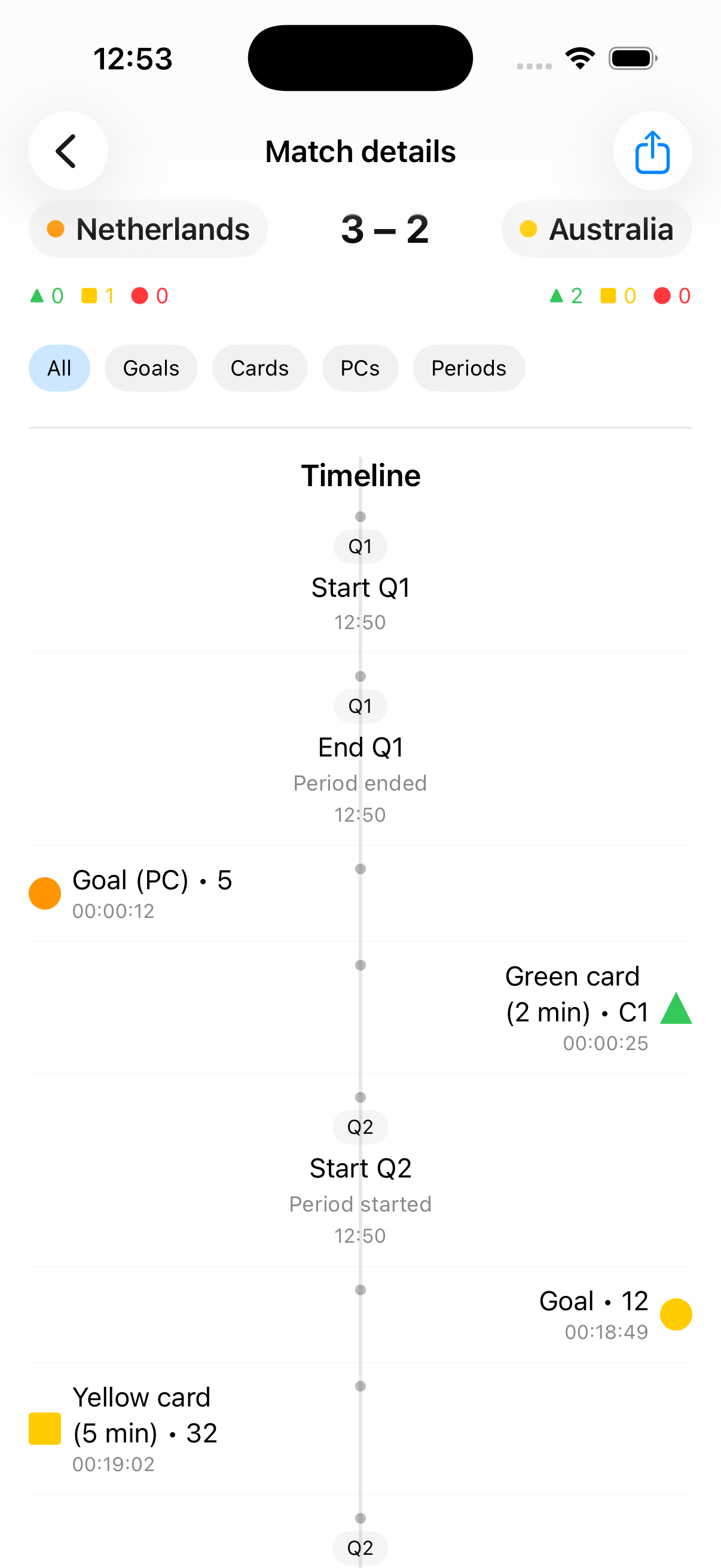
Open History on iPhone. Matches are stored locally and shown with date, score, and shoot-out result when available. Completed Quick Shoot-out sessions also appear there.
You can share match text summaries and a rendered match graphic with score, timeline, cards, and shoot-out data. This also works for completed Quick Shoot-out sessions.
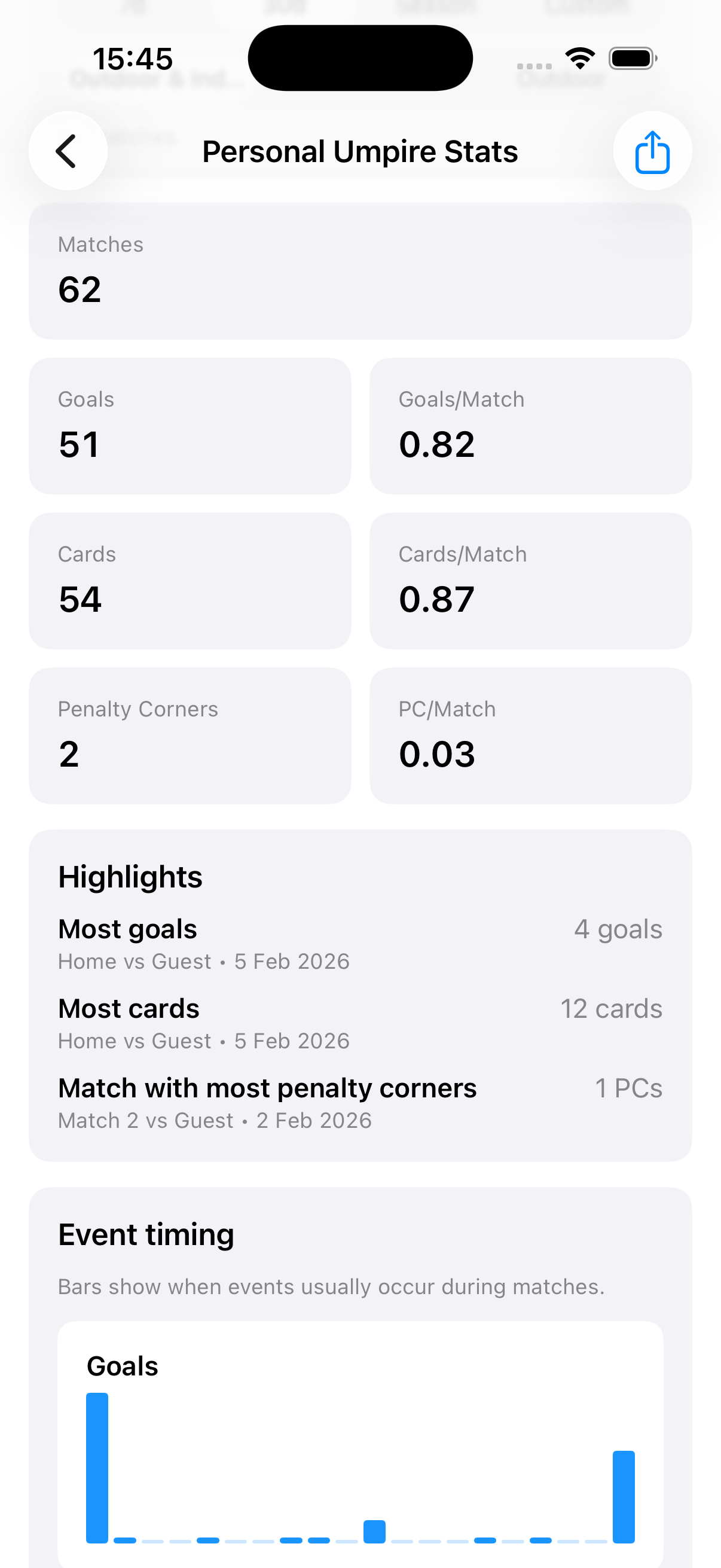
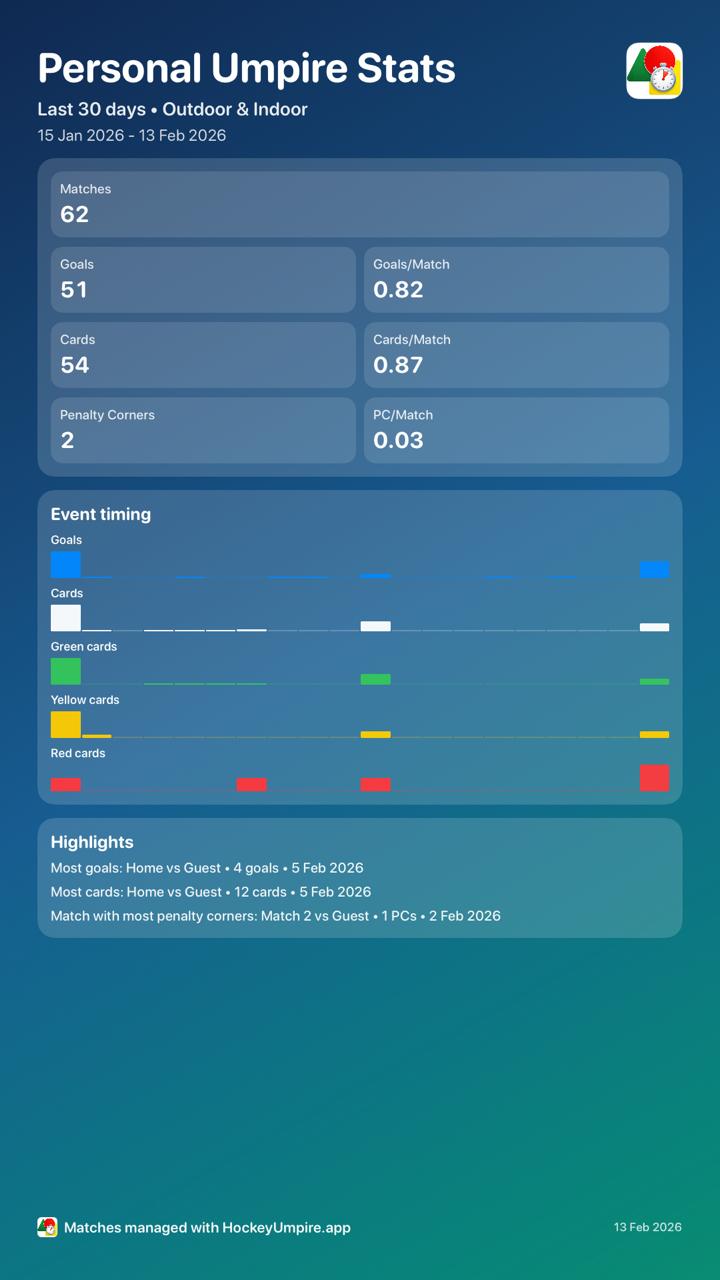
A Pro screen with filtered stats (goals, cards, penalty corners, timing patterns, and highlights) plus a shareable stats graphic.
Yes. In History, use Edit mode or swipe to delete.
Goal player numbers, card recipient numbers and labels, goal-type tracking, workout GPS route (outdoor), card reasons, and Personal Umpire Stats.
Go to Settings, purchase Pro (one-time), or tap Restore purchases if you already bought it.
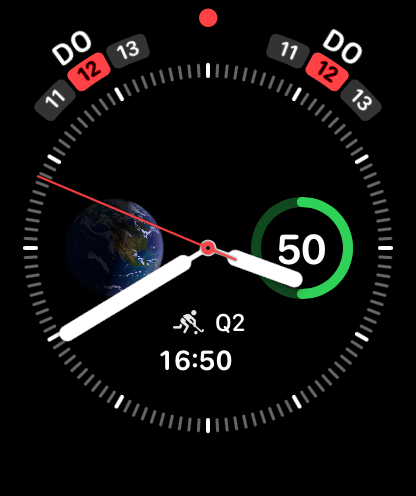
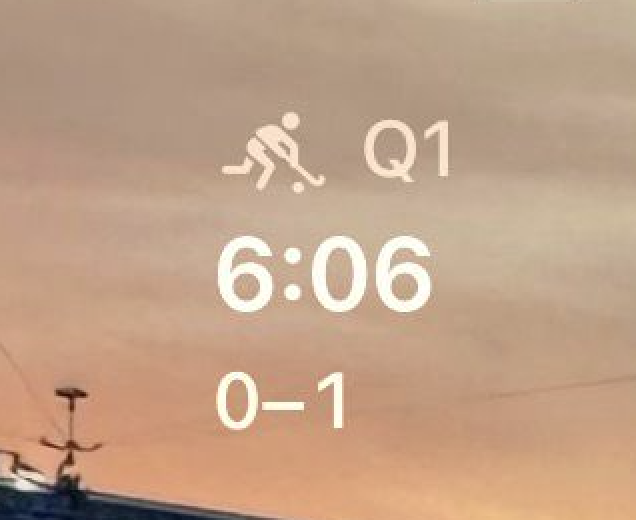
Current segment label, countdown, and score for the active match.
A quick glance of active match status with score and time context. Full match control remains inside the Watch app.
Usually not. HockeyUmpire attempts to restore the active match state automatically.
Open HockeyUmpire on Apple Watch and resend from iPhone Match setup. The app includes a retry flow and status feedback.
If an active match stayed open for a longer period, the app asks whether to resume, close, or return to the main menu to prevent accidental continuation.
Match data stays on your device. Read the full privacy policy and data handling details.
Download HockeyUmpire and run your game with confidence.